Anúncios
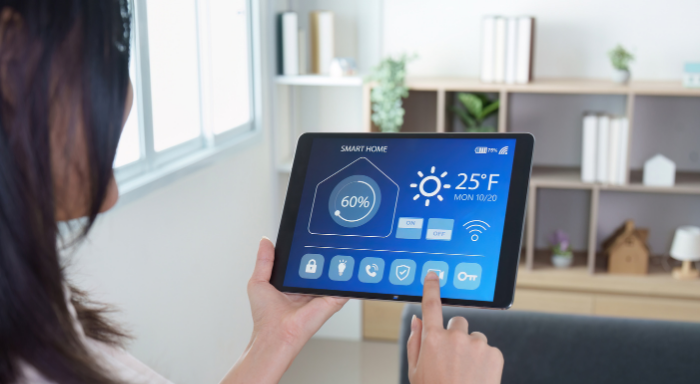
Setting up your connected home can feel overwhelming, especially with so many gadgets vying for your attention. Adding a smart hub makes this process easier, creating order from the chaos of competing devices.
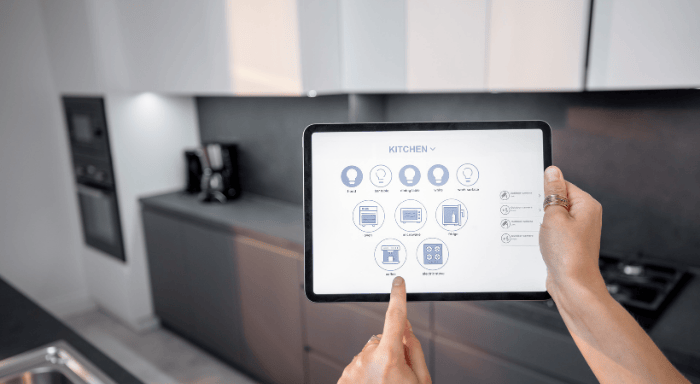
A smart hub centralizes control, letting you manage lights, locks, speakers, and sensors with one simple interface. This type of control leads to greater efficiency, smoother routines, and fewer device headaches down the line.
Explore this friendly guide to discover how to select the ideal smart hub, uncover features that actually matter, and find real confidence in building your connected living space.
Evaluating Hub Compatibility to Streamline Your Setup
Thoroughly checking device compatibility helps prevent frustrating surprises and wasted money. Knowing which smart hub works with your favorite gadgets enhances every interaction in your home.
Compatibility isn’t just about brands, but about communication protocols—Wi-Fi, Zigbee, Z-Wave, Bluetooth, and Thread. Aim to match your smart hub with as many of your existing or planned devices as possible.
Anúncios
Identify Your Core Devices and Protocols
List out your most-used devices: maybe you have connected bulbs, a door lock, and speakers, all in different rooms. Check which protocols each product supports—Zigbee for lights, Z-Wave for sensors, or simply Wi-Fi.
Don’t skip this device inventory step. For example, if your thermostat uses Zigbee, but your doorbell only supports Wi-Fi, you’ll need a smart hub bridging both. This creates harmony across brands and room locations.
Pick up devices and check their boxes or manuals for protocol icons or compatibility lists, noting any manufacturer “Works With” badges. This hands-on approach ensures no device gets left out come setup day.
Anúncios
Bridge Brand Gaps for a Smooth Experience
Mixing device brands is common, but not every smart hub speaks each brand’s language. Before buying, research which hubs officially support your must-have devices to avoid daily frustrations later on.
If you’ve already invested in an array of different-brand devices, look for smart hub options known for broad compatibility. Hubs with frequent software updates tend to keep pace with new gadgets more reliably.
Connecting seemingly unrelated products, like combining a Yale door lock with Philips Hue lights, can work seamlessly—if your smart hub speaks both protocols and has robust brand partnerships listed on its site.
| Protocol | Popular Devices | Hub Examples | Next Step |
|---|---|---|---|
| Wi-Fi | Speakers, cameras, switches | Amazon Echo, Google Nest Hub | Check your router capacity first |
| Zigbee | Bulbs, sensors, locks | Samsung SmartThings, Hubitat | Ensure Zigbee radio is built-in |
| Z-Wave | Motion sensors, thermostats | SmartThings, Aeotec Hub | Verify US vs. EU Z-Wave frequency |
| Bluetoot | Smart locks, speakers | Apple HomePod, Amazon Echo | Stay within Bluetooth range |
| Thread | New Matter-certified devices | Google Nest, HomePod Mini | Check for Matter/Thread support |
Zeroing In on Hub Features That Match Real-World Routines
The right features give your routines real-life support, such as easy voice controls or custom automation rules. Let’s break down features worth prioritizing over flashy extras.
Smart hub shoppers should focus on automation flexibility, integration with personal assistants, and customizable notifications. Consider not just what your hub can do today, but what you want it to handle tomorrow.
Target Must-Have Automation Capabilities
Home automation actions, like setting the lights to dim at sundown, make your space more inviting and hands-off. Ensure your smart hub features straightforward rule-building and wide automation triggers, not just app-based toggles.
- Enable multi-step automations so a single voice command can run multiple routines; for instance, “good night” can lock doors, turn off lights, and arm your alarm instantly.
- Choose hubs with geofencing; when your phone leaves home, the hub can automatically secure doors, adjust the thermostat, and send you reminders.
- Look for scheduling control—scheduling reduces busywork, like watering plants at precise intervals, without manual effort.
- Prioritize hubs with advanced conditional logic. This lets you create “if this, then that” rules so your home responds to context, like weather or time of day.
- Check for reliable notification options so your smart hub alerts you to events like door unlocks or unexpected movement when you’re away.
Having these automation features on your smart hub means less daily fiddling and greater peace of mind. The right automation capabilities quickly pay off in convenience.
Check Integration With Voice Assistants
Voice assistant integration is a baseline expectation. Smart hubs that natively work with Alexa, Google Assistant, or Siri allow real hands-free control, which is useful in kitchen or entryway scenarios.
- Confirm cross-platform compatibility before buying if you have mixed household preferences; a hub supporting multiple assistants reduces family frustration.
- Find hubs with conversational voice routines: advanced models can handle chained commands, making it quicker to prep your home in the morning.
- Opt for hubs with voice feedback. Immediate spoken confirmations assure you when running critical routines, like locking your entry door.
- Test for custom voice command creation. Being able to name routines and actions makes complex automations memorable and easy to use.
- Explore hubs with built-in microphones if you want to control rooms without extra smart speakers; this setup cuts down on device clutter and simplifies commands.
The best smart hub for your setup will offer voice features that genuinely match your speaking style and household habits, not just brand popularity.
Prioritizing Security and Privacy in Your Home Automation
Selecting a smart hub that keeps your data safe is as essential as choosing compatible devices. Look for features and habits that actually lock down your data, not just promises on packaging.
Unencrypted data flows are an invitation for hackers, so opt for smart hubs with a good track record in device authentication and timely security patches. Don’t just trust glossy marketing—double check update policies and encryption support.
Choose Hubs with Reliable Encryption Standards
Encryption is like adding solid doors with real locks to each room in your home. Prioritize smart hubs that use end-to-end encryption for both device connections and app controls.
Hubs supporting WPA3 for Wi-Fi, strong TLS for web communication, and encrypted local control are harder targets for cyber snoops. Homeowners who enable two-factor authentication gain an extra security layer for remote controls.
If your hub requires a cloud account, check for multi-tenant isolation and GDPR compliance. These signals suggest genuine data privacy, not just empty buzzwords. Secure communication between all linked devices is non-negotiable for peace of mind.
Vet the Manufacturer’s Update Track Record
A hub released years ago but left without updates is now unsafe. Always check the manufacturer’s history for firmware and security patch support before choosing your hub.
Find community forums or support logs where owners discuss bug fixes and improvements. A hub with a slow update cycle or multiple bypassed security incidents should be skipped, even if it’s on sale.
Prioritize brands that publish detailed update notes and have a support page detailing their security commitment. These consistent actions show whether the provider prioritizes the users or just pushes out new hardware.
Balancing User-Friendliness With Customization Power
A straight-forward setup process, along with deep customization, is the hallmark of a long-lasting smart hub. Assess your own needs: Do you prefer plug-and-play, or tinkering deeper?
The best smart hubs cater to both ends—offering basic guided apps for quick starts, plus advanced options for users who enjoy scripting and tailoring device interactions for unique situations.
Pick Hubs That Fit Your Tech Comfort Level
If you’re someone who enjoys quick starts, focus on a smart hub that comes with a clear, step-by-step app setup. This will help you get rolling with minimal frustration.
For power users, advanced hubs let you build custom scripts or manual device integrations. Platforms supporting workflows, like webhooks or node-based automations, enrich your setup.
Beginner or pro, always read reviews or walkthroughs to see if other users mention getting stuck. The best hubs blend both simple and advanced paths—helpful if your interest level grows over time.
Assess Mobile App and Dashboard Quality
A well-designed mobile app makes controlling routines feel more like flipping a light switch than toggling through dense menus. Look for smart hubs with intuitive dashboards and customization for what you actually care about.
Features like widget shortcuts, color-coded icons, and personalized quick-access panels speed up daily interactions. If you rely on tablets or wall panels, prioritize hubs with robust browser-based or dedicated dashboard apps.
Check if the app supports multi-user management and guest access. Families or roommates benefit from hubs that let everyone control appropriate devices without exposing advanced settings to casual visitors.
Budgeting for Today’s Needs Without Sacrificing Tomorrow’s Growth
Spending wisely on your smart hub upfront pays off in longevity. Spare your wallet from frequent upgrades by matching your smart hub’s capabilities with your plans for expanding your system in the future.
Pricing doesn’t always correlate to performance. Entry-level hubs can now support dozens of devices, while premium options add more protocols and better analytics. Avoid overpaying for features you won’t use right away.
- Start with your current must-have devices, then pick a hub with extra protocol support for growth. This way, future upgrades require fewer replacements.
- Consider annual cloud fees or app charges; some hubs charge for adding users or advanced automation features. Make room for these in your budget if they’re essential.
- Look for bundled kits that offer a hub and several compatible devices at a package discount. Kits lower the cost of entry and ensure seamless integration out of the box.
- Check for local control options to avoid mandatory subscriptions. A hub that works without always-on internet is future-proof and can save you money on monthly costs.
- Plan for hardware reliability—the cheapest hub isn’t a deal if it fails in a year. Check warranty terms and repair support to avoid short-term savings at the cost of long-term stability.
Getting the Most From Voice Control and Automations
Maximizing automation and streamlined voice control makes home life feel magical. Fine-tune your smart hub setup for routines that support genuine convenience—whether you’re cooking, working, or coming home late at night.
Voice-triggered scenes and location-based automations let you put your home on autopilot. The top smart hubs let you combine both, weaving everyday activities into a web of time-saving actions across devices.
Create Robust Morning and Evening Routines
Morning routines can include gentle light fades, news briefings, and thermostat adjustments. Use your smart hub’s scheduling tool to set up a “wake-up” scene triggered at sunrise or when your alarm turns off.
Evening routines should prioritize winding down: dim lights, lock doors, and switch your climate system to a more restful setting. A voice command such as “time for bed” should hand off these tasks automatically.
Test your routines a few times, tweaking the sequence to smooth out timing hiccups. The best smart hub interfaces let you edit automations by dragging and dropping devices in order of their actions.
Combine Voice Commands With Geofencing
Geofencing acts as a digital border; when you (and your phone) cross it, the smart hub triggers actions—like activating welcome lighting when you arrive home.
Pair these triggers with voice routines; for example, say “movie night” to dim the lights, adjust the thermostat, and turn on your TV. Concrete routines reduce evening distractions and make life feel richer.
Review your app’s automation logs to spot missed triggers or optimize timings. Continual fine-tuning ensures your smart hub always keeps pace with your household’s real habits.
Choosing with Confidence: Moving Toward an Effortless Home
The right smart hub brings all your devices into harmony, effortlessly blending convenience, security, and individualized control. Evaluating compatibility, automation power, and user-friendliness gives you mastery over your home’s technology.
Smart hubs are at the heart of home automation progress. Focusing on genuine integration—across protocols, brands, and platforms—paves the way for dependable, rewarding routines now and as your needs grow.
Embrace the learning curve, and have fun testing new automations. Your investment in the best-fitting smart hub pays off every day, enabling a space that really works for your lifestyle and evolving routines.
Ready to upgrade your home and make it smarter?